 bliqueX
Apple HomeView and third-party apps: what iPhone developers should know
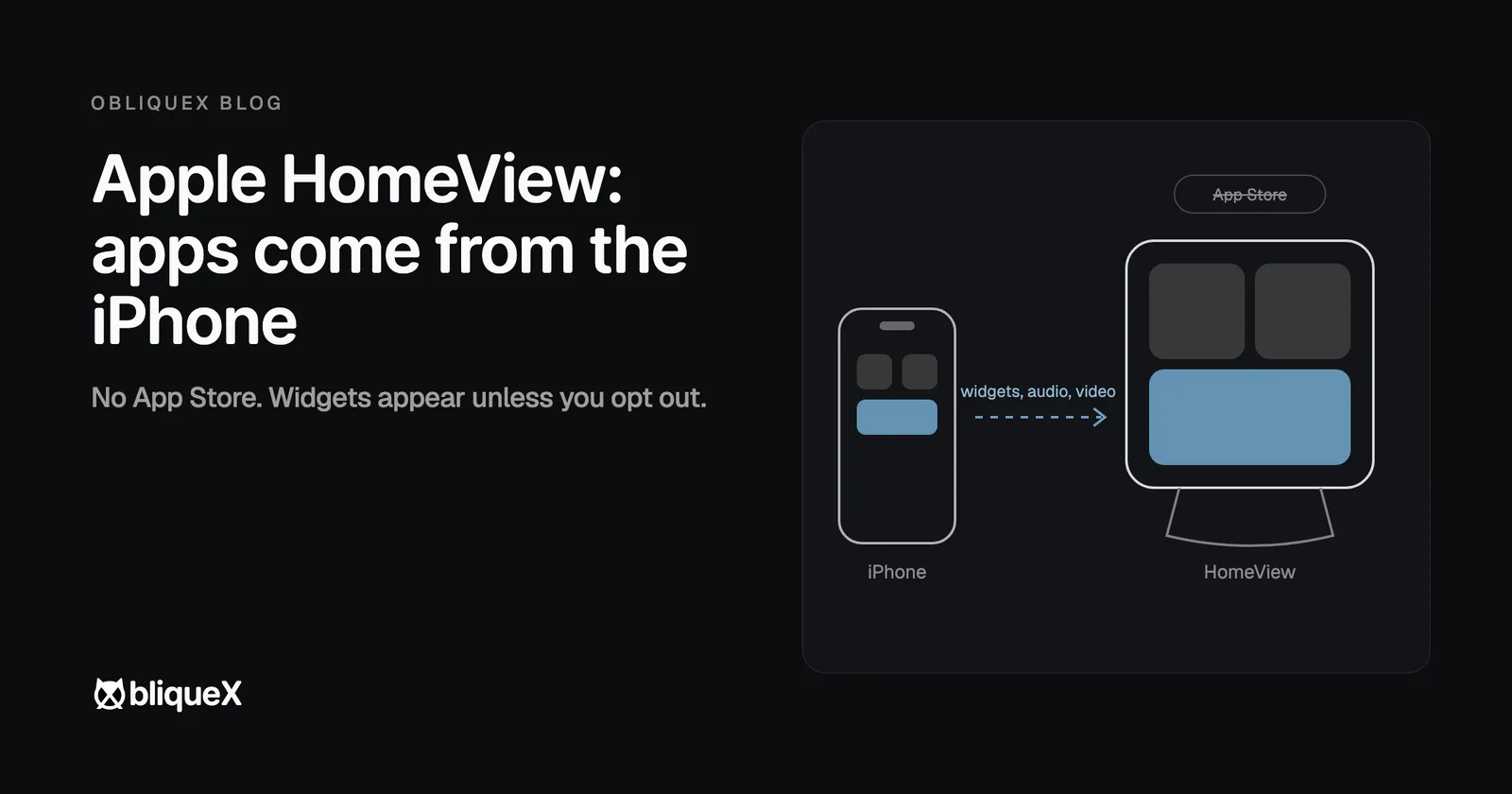
HomeView has no App Store. Third-party apps reach it from a nearby iPhone or iPad, the way they reach a car through CarPlay: audio apps built for CarPlay work, video apps can add support, and an iOS app's widgets can appear on the screen unless the developer opts out.
Apple announced HomeView on 13 October 2026. We build our own apps and software for client companies, so the question we asked was not what the device does, but what it changes for someone who already ships an iPhone app. This post is written from the announcement and the reporting around it; we have not used the device.
What Apple announced
- A 7 inch square display in two versions: one on a speaker base for a table, one for the wall.
- USD 299 for either. Pre-orders opened on 13 October, delivery and stores from 13 November.
- Wall mounts are sold separately and made by Schneider Home.
- A Center Stage camera for FaceTime. It recognizes up to six people, and each gets their own Home Screen with apps and widgets.
- The screen changes with distance: less detail from across the room, more up close.
- Siri AI and the Home app run the smart home side, including up to nine live camera feeds at once.
No App Store, apps come from the iPhone
Apple did not create an App Store for HomeView, so nothing is installed on the device itself. Compatible third-party apps appear when HomeView is connected to an iPhone or iPad. According to MacRumors, the person has to be recognized by the camera and have a paired, recently unlocked iPhone nearby.
Apple names two kinds of app. Audio apps made for CarPlay, such as Spotify and Audible, work on HomeView. For video, developers will be able to extend HomeView support to their existing iOS apps. In the reporting we found, Apple has not yet said what that takes, and there is no separate HomeView SDK.
Widgets: on by default
This is the part that reaches the most apps. 9to5Mac found the HomeView language in Apple's updated developer agreement, section 6.4.1:
"You agree that Your iOS Application widget may be made available on CarPlay and Apple HomeView."
The same section makes the developer responsible for deciding whether
a widget is suitable, and for using the disfavoredLocations
function when it is not. The agreement's own examples of unsuitable
widgets are ones that need extensive interaction, or that need the
iPhone to be unlocked.
9to5Mac reads this as: any iOS app that provides widgets can appear on HomeView unless its developer excludes it. That is their reading of the agreement, not a statement from Apple, but it is the safe assumption to plan with.
If you ship an iPhone app
-
Look at your widgets from across a room. A widget
made for a phone held in the hand may be unreadable on a 7 inch
screen two meters away. If it does not work there, exclude it with
disfavoredLocations. - Check what a widget shows on a shared screen. HomeView sits in a kitchen or a hallway. Each person gets their own Home Screen, but anyone standing in front of it can read it. Balances, messages and health data deserve a second look.
- If you have a CarPlay audio app, it is already in the group Apple says will work. Test it once the device ships.
- If you have a video app, wait for Apple's documentation on how to opt in. The announcement says it is possible, not how.
- Do not plan a HomeView only app. There is no store to put it in. Everything goes through the iPhone or iPad app.
Where it sells
HomeView launches in the US, UK, Canada, Australia, India, New Zealand, Singapore and South Africa; Singapore pre-orders open on 15 October. It is not sold in the European Union, because Siri AI is not available there, and Apple says it is working with the EU on a way forward. Türkiye is not on the launch list, and we found no date for it.
For an app with users mainly in Europe or Türkiye, this means the widget review above can wait until the device reaches those markets. For an app with users in the eight launch countries, it is worth doing before 13 November.
Common questions
Does Apple HomeView have an App Store?
No. Apple did not create an App Store for HomeView, so nothing is downloaded onto the device. Compatible third-party apps appear on it from a paired iPhone or iPad that is nearby.
Which third-party apps work on HomeView?
Apple names audio and video apps. Audio apps built for CarPlay, such as Spotify and Audible, work on HomeView, and developers will be able to extend HomeView support to existing iOS video apps.
Will my iPhone app's widget show up on HomeView?
It can. Apple's updated developer agreement says an iOS app's widget may be made available on CarPlay and Apple HomeView, and makes the developer responsible for using the disfavoredLocations function if the widget is not suitable.
When does HomeView ship and what does it cost?
Pre-orders opened on 13 October 2026 at USD 299 for both the tabletop and the wall version. Delivery and in-store availability start on 13 November 2026.
Is HomeView sold in the EU or in Türkiye?
Not at launch. It launches in the US, UK, Canada, Australia, India, New Zealand, Singapore and South Africa. It is not sold in the EU because Siri AI is not available there, and Türkiye is not on the launch list.
What this post does not claim
We have not used HomeView and have no information beyond what Apple announced and what the sources below reported on 13 and 14 October 2026. Where a source draws its own conclusion, such as 9to5Mac on widgets, the post says so. If Apple publishes developer documentation that changes any of this, this post will be updated.
ObliqueX is not affiliated with Apple. HomeView, iPhone, iPad, CarPlay and Siri are trademarks of Apple Inc.
Work with us
We build our own products and custom web, mobile and backend software for companies. If you want a second pair of eyes on how your iPhone app should look on a new Apple screen, write to us.
Sources
- MacRumors, "Apple Announces 'HomeView' Smart Home Hub", 13 October 2026: macrumors.com
- MacRumors, "HomeView Runs Third-Party Apps From Your iPhone or iPad", 13 October 2026: macrumors.com
- 9to5Mac, "Apple unveils new HomeView smart display", 13 October 2026: 9to5mac.com
- 9to5Mac, "HomeView can display third-party widgets from your iPhone", 14 October 2026: 9to5mac.com
- Bloomberg, "Apple Unveils $299 HomeView Smart Home Hub", 13 October 2026: bloomberg.com